

npm run dev -- --host 0.0.0.0 --port 3000 &). This preview URL can be either public (does not require you to be authenticated to access it) or private (see below).
They will look something like this:
If you see a 502 error when accessing the preview URL, the most common cause is that your application server is not reachable externally. To resolve this, configure your server to bind to IP address Read more about this in our troubleshooting page.
0.0.0.0, so that it listens on all available network interfaces. Sample server startup commands are shown below:Current limitations of real-time previews
JavaScript module bundlers handle real-time previewing. Here are the key compatibility requirements and limitations:- Module bundler must implement ping-pong.
- Both Webpack and Turbopack (v16.1.1) have been tested and confirmed to work.
- Blaxel has a 15-minute connection timeout. To maintain previews beyond this limit, ensure your bundler implements automatic reconnection.
- You cannot create a preview on port 80 which is reserved for system.
Private preview URLs
When you create a private preview URL a token is required to access the URL. You must include the token as:- a
bl_preview_tokenquery parameter when accessing the preview URL (e.g. https://tkmu0oj2bf6iuoag6mmlt8.preview.bl.run/health?bl_preview_token={token.value}) - a
X-Blaxel-Preview-Tokenheader
Manage preview URLs
To whitelist sandbox traffic in your network, you can retrieve the public IP addresses used by Blaxel.
Blaxel console
You can create a preview URL for a sandbox from the Blaxel Console, on the overview of a sandbox: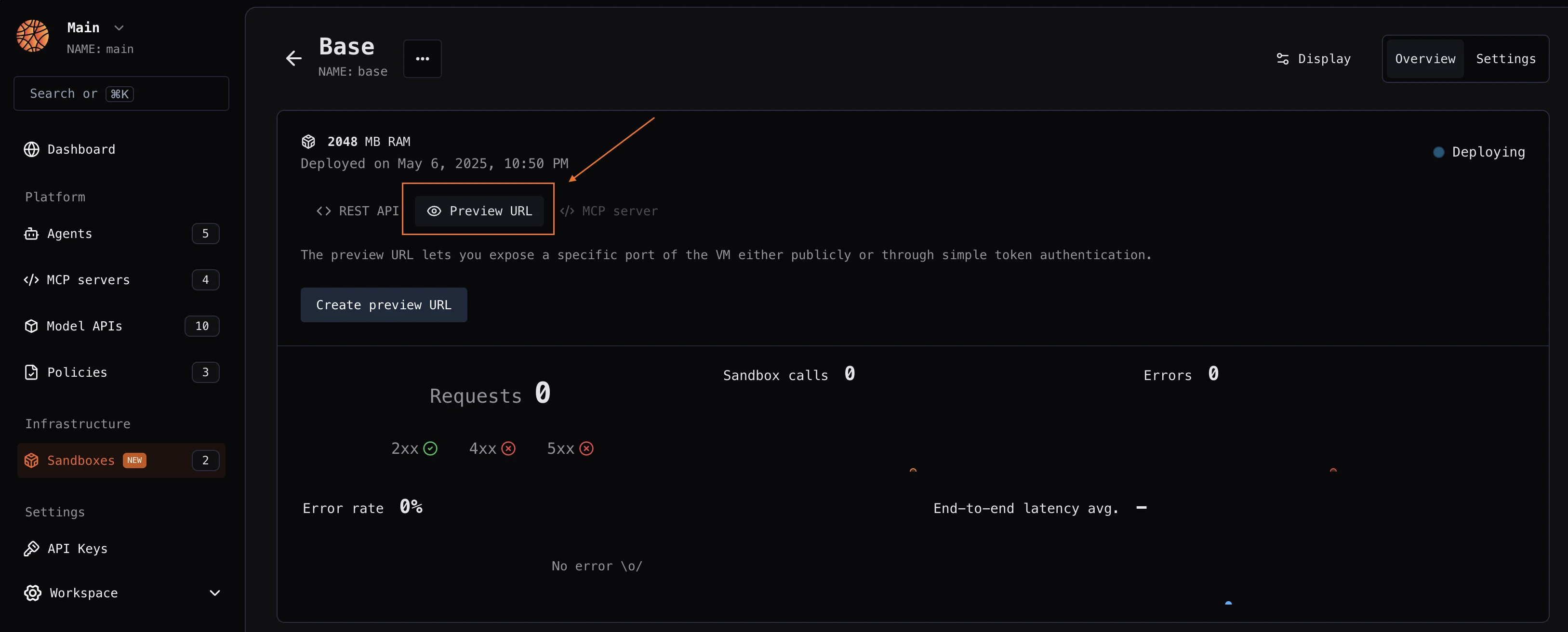
Blaxel SDK
Learn more about authentication on Blaxel
Learn more about authentication on Blaxel
The Blaxel SDK requires two environment variables to authenticate:The Blaxel SDK does not accept credentials as constructor arguments. Credentials must come from environment variables, a
You can create an API key from the Blaxel console. Your workspace name is visible in the URL when you log in to the console (e.g.
app.blaxel.ai/{workspace}).Set them as environment variables or add them to a .env file at the root of your project:.env file, or a local CLI login session (see below).When developing locally, you can also log in to your workspace with Blaxel CLI (as shown above). This allows you to run Blaxel SDK functions that will automatically connect to your workspace without additional setup. When you deploy on Blaxel, authentication is handled automatically — no environment variables needed.createIfNotExists() / create_if_not_exists(). Blaxel first checks for an existing preview with the provided name and either returns it or creates a new one using your specified configuration.
Create and manage a sandbox’s public preview URL:
create(), which raises an error when a preview with the specified name already exists:
URL prefix
You can customize the preview URL with a custom string prefix using theprefixUrl argument:
https://myprefix-workspace-xxx.preview.bl.run.
Custom domains
To set up a custom domain for your sandbox preview:- Register a custom domain to your Blaxel workspace and complete the verification process
- Use this verified custom domain when creating a new preview:
When you register a custom domain, you also enable the use of wildcard subdomains for that domain. For example, if you register
mycompany.com, you can configure preview URLs to use any *.mycompany.com subdomain.